


Akron Beacon Journal Now
2.973.00 Reviews
App Specs
- Version
- 8.10.3
- Updated On
- License
- Free
- Downloads
- 10,000+
- Developer
- USA TODAY Co.
- Categories
- News & Magazines
- Platform
- Android
Screenshots




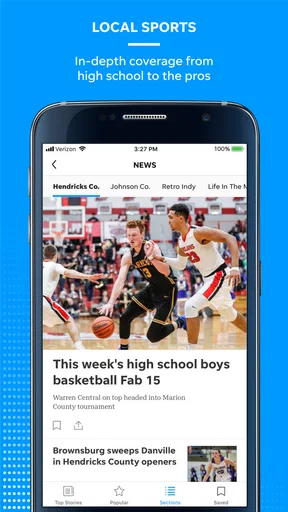


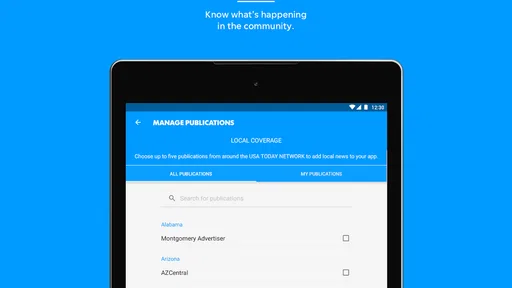
 Analysis by AppCompare
I tried Akron Beacon Journal as a local news app rather than treating it like a general headline reader, and that distinction matters. It is built around the Akron Beacon Journal while also bringing together national reporting, photography, and video. In everyday use, I found it most useful when I wanted local context quickly but still preferred having broader stories in the same place.
The app is free to install, although it includes optional in-app purchases ranging from around fifteen dollars to around seventy dollars per item. It comes from USA TODAY Co., sits in the News & Magazines category, and is rated for Everyone 10+. Its current version is 8.10.3, and it runs on Android 8.0 or later. Those details make it accessible on many older phones, but the purchase model is worth understanding before handing the device to someone else in the household.
How it works on a shared household device
The most realistic use case for this app is a shared tablet or a phone that moves between family members during the day. One person might open it with coffee to catch up on Akron-area developments, another might check a national story at lunch, and someone else might watch a news video in the evening. That makes the app more practical than a single-purpose local newspaper shortcut, especially when the household does not want several separate news apps competing for attention.
I would still treat shared use carefully. A news app can become part of a family routine, but the reading experience is personal: one person may want local government or community coverage, while another may only care about sports, weather-related developments, or major national events. Without assuming that every reader wants the same material, I found it better to agree on when the app is used and which stories are worth discussing rather than leaving it open continuously in the background.
The app’s strongest household role is as a common starting point. If a local story affects commuting, schools, events, or neighborhood plans, several people can look at the same coverage instead of passing around screenshots from unrelated sources. That shared reference point is useful, but it does not replace checking details carefully when a decision depends on current information.
What the local focus adds
General news aggregators are good at volume, but they often make local reporting feel like a small item buried under national headlines. The Akron Beacon Journal identity gives this app a clearer regional purpose. I opened it expecting a more focused local experience, and that focus is what separates it from a broad headline feed.
For someone living in or closely connected to Akron, the local angle can make routine browsing feel more relevant. A national app may tell me what is happening across the country, but it is less likely to make the news feel connected to the places and daily decisions around me. That is the reason I would choose this app over a purely national reader.
Worth Reading Before You Choose

EA SPORTS FC Mobile 26 Is a Bigger Football Game, but It Takes Time

Flipboard Shows What News Apps Must Do Beyond the Feed

Switching to Android Auto Means Rethinking Your Driving Routine

Google Calendar Makes a Crowded Week Easier to Manage

Ludo King Makes the Most of the Minutes Between Plans

Baby Panda World Brings Quick Play to Modern Phones, but Its Game Library Feels Busy
There is a trade-off, though. Readers who want a wide range of international coverage, highly customizable feeds, or several local regions in one interface may prefer a larger aggregator. This app makes more sense when Akron-area reporting is the main reason for opening it, with national material acting as useful supporting content rather than the entire purpose.
Setting boundaries before handing it over
Because the app is free to download but offers paid items, I would set expectations before letting a child or guest use it on a shared device. I would not assume that “free” means every part of the experience is free. The sensible approach is to keep purchases under the account holder’s control and make sure other users know that tapping through a payment screen is not part of ordinary browsing.
This is especially important on a family tablet where several people use the same store account. The app itself may be easy to open, but account ownership and payment responsibility remain separate questions. I would keep the device owner’s credentials private, avoid leaving a purchase confirmation screen unattended, and explain to younger readers that news access and optional paid content are not the same thing.
I also recommend deciding whether the app should be used under one shared account or by separate household members. A shared arrangement is simpler, but it can blur whose reading activity or preferences are being represented. Separate boundaries are cleaner when adults want different news habits or when a child uses the same device for other apps.
There is no reason to make setup complicated. Start by installing the app on the device that will actually be used, open it together, and check that the local focus suits everyone who expects to read it. Then decide who may use it, whether purchases are allowed, and where the device should be kept. That small conversation prevents most of the confusion that comes from treating a shared news app as if it were just a neutral utility.
Coordinating news without creating noise
One of the less obvious benefits of a local news app in a household is coordination. If one person reads a story about a local issue and another sees a national version of the same subject elsewhere, the two accounts may emphasize different details. Using one local source as the starting point can make conversations more grounded, particularly when the topic affects plans for the day.
My preferred workflow is simple: one person scans the local coverage, identifies the stories that may affect the household, and shares the headline or opens the article for everyone else. I would avoid forwarding every interesting item. A shared device becomes frustrating when each user treats it as a personal alert system and leaves a long trail of half-read stories for the next person.
The photography and video content also change how people coordinate. A short video can help someone understand an event faster than a long article, while a strong photograph may provide useful visual context. At the same time, video is not always appropriate in a quiet room or around younger users, so I would use headphones or save visual stories for a suitable moment instead of assuming that every part of the app is equally convenient in public.
A practical habit is to close an article when finished and return the app to a neutral starting point. That keeps the next reader from assuming that the previous person’s selected story is the most important one. It sounds minor, but on a shared device this makes the experience feel less like someone else’s personal feed.
Age, trust, and the limits of a general news app
The Everyone 10+ rating gives families a useful age reference, but it should not be interpreted as a promise that every story will suit every child. News changes throughout the day, and serious events can appear in text, photographs, or video. I would let younger readers use it with an adult nearby, especially when the household wants to discuss difficult subjects rather than have a child encounter them alone.
For older children and teenagers, the app can be a reasonable way to build a local-news habit. I would encourage them to read beyond the headline, notice whether a story is local or national, and ask what information is actually relevant to the household. Those habits are more valuable than simply scrolling through a large number of stories.
Trust also matters between users. If several people share a device, one person should not present a headline as the complete story without opening it. Local reporting can be highly useful, but every reader benefits from checking the article’s context, date, and wording before making a claim about what happened. I found the app better as a starting point for informed discussion than as a substitute for careful reading.
Adults who want strict control over what a child sees may find a general news application less suitable than a deliberately curated reading service. The app’s age label helps set a baseline, but it does not turn the experience into a child-focused news environment. For a household that wants adult supervision and shared discussion, it can work well; for unsupervised browsing by a very young reader, I would choose something more controlled.
Reading experience and useful habits
The store summary emphasizes local and national news, photography, and video, and that combination matches the app’s basic appeal. I liked having different formats in one place because not every moment is suited to a full article. A quick visual update can fit into a short break, while written coverage is better when I want to understand the background behind a local issue.
My main advice is not to judge the app after only a few rapid taps. Local news is most valuable when read with attention to context. If a headline affects a family plan, I would open the full story, check whether it is describing an immediate event or a continuing situation, and then discuss it with the people who need to know. That workflow is slower than scrolling, but it is where the app provides its real household value.
The app’s average rating is around 2.9 from around 122 ratings, with around 73 written reviews. I see that as a reason to keep expectations measured rather than as an automatic rejection. A lower average can reflect friction that matters to some users, and it tells me to evaluate the app based on my own reading needs. If a smooth, highly polished aggregator is the top priority, this may not be the first app I would choose.
Its install count is over ten thousand, which suggests a smaller footprint than the biggest news platforms. That is not necessarily a weakness for a local publication; a focused audience can be exactly what makes the app worthwhile. Still, readers looking for a huge community, extensive personalization, or a single app covering many cities may feel more comfortable with a major national alternative.
Who should use it, and who should skip it
I would recommend this app to Akron-area residents, former residents who want a connection to local coverage, and households that want a regional news source alongside broader stories. It is also a sensible choice for someone who prefers reading from a publication with a clear local identity instead of relying entirely on an algorithmic feed.
I would be more cautious about recommending it to a reader who rarely cares about Akron news. If local reporting is not relevant to your life, a national news app may offer a broader and more efficient selection. The same applies to users who want one interface for many cities, extensive topic controls, or a deliberately minimalist reading experience.
It is also not my first choice for a child who will browse alone. The Everyone 10+ label provides useful guidance, but news can include upsetting subjects and mature context even when the app is not designed for adults only. A supervised shared-device routine is a better fit than unrestricted access.
For households, the decision comes down to whether the local focus is a feature or a limitation. If Akron is central to your daily life, the focus saves time and gives conversations a common reference. If your household is spread across different regions, the app may become just one more news source rather than the shared center of attention.
My household verdict
After using it as a local news tool, I see Akron Beacon Journal as a focused option rather than a universal replacement for every news service. Its value comes from bringing Akron-oriented coverage together with national stories, photography, and video in a free app that supports older Android devices from version 8.0 onward.
I would install it on a shared household device only after setting clear account and purchase boundaries. The optional paid items, priced from around fifteen dollars to around seventy dollars each, make it important to keep payment decisions with the account owner. I would also agree on age-appropriate use, especially if children or teenagers will browse the app.
My final recommendation is positive for the right household: people who want local awareness, a common source for discussion, and a straightforward way to mix regional and national reading. I would skip it if Akron coverage is not relevant, if you need a heavily customized national feed, or if you want a child-only news experience. The best way to use it is as a shared local-news starting point, not as an unattended stream of headlines.
That distinction captures my experience. The app is most useful when readers slow down enough to open important stories, talk about what applies to them, and keep account responsibilities separate from casual browsing. Used that way, it earns a place on a family device; used without those boundaries, its free installation and broad news mix can make the experience less clear than it first appears.
Pros
- Provides quick access to local Akron and Summit County news.
- Covers community events
- local politics
- sports
- and regional developments.
- Article layouts are generally easy to scan on a phone.
- Breaking-news alerts can help users follow important local updates.
- Digital access is convenient for readers who prefer mobile news consumption.
Cons
- Some content may require a subscription or digital access plan.
- Advertising can make parts of the reading experience feel cluttered.
- The app’s value is limited for users outside the Akron area.
- News coverage may focus less on national and international stories.
- Notifications may become distracting if too many topics are enabled.
FAQs for Akron Beacon Journal Now
What is Akron Beacon Journal Now?
Akron Beacon Journal Now is the mobile reading experience for accessing news from the Akron, Ohio, area and surrounding communities. After installing it, readers can browse local reporting, breaking news, sports, business, entertainment, opinion, and other regional coverage in one place. The app is designed for people who want convenient access to the newspaper’s journalism while using a phone or tablet.
Is Akron Beacon Journal Now free to download and use?
The application can generally be downloaded without an upfront charge, but access to all articles and premium features may depend on the publisher’s subscription model. Some stories or previews may be available to everyone, while unlimited reading, eNewspaper access, archives, or subscriber-only content could require a paid plan. Check the current terms shown in the app before subscribing.
What type of content can I read in the app?
The app focuses primarily on news and information relevant to Akron and the wider Northeast Ohio region. Depending on the current edition and available sections, users may find local reporting, investigative stories, community updates, high school and professional sports, weather, business, entertainment, opinion pieces, obituaries, and other newspaper features. Content availability can change as coverage is updated.
Does Akron Beacon Journal Now require an account or subscription?
You may be able to open the app and view some content without creating an account, but an account is commonly needed to save preferences, manage a subscription, synchronize access across devices, or read restricted articles. If you already subscribe to the newspaper through its website or another supported service, sign-in may unlock included digital benefits. Subscription requirements and pricing should be confirmed in the app.
Can I receive breaking-news alerts and read articles offline?
The app may offer notifications for breaking news, important local developments, sports updates, or other selected topics, although notification availability depends on the app version and your device settings. Offline reading is more limited and may not cover every article; some content typically requires an internet connection. Before traveling, open any supported saved or downloaded material and enable alerts only for topics you actually want to follow.


